![[ROS Q&A] 085 – Basic usage of octomap_mapping package](https://www.theconstruct.ai/wp-content/uploads/2018/01/Basic-usage-of-octomap_mapping-package-screen.png)
[ROS Q&A] 085 – Basic usage of octomap_mapping package
In the following video, I show how to execute some basic functionalities of the octomap_mapping package: Creating an Octomap, saving the Octomap and providing the Octomap.

In the following video, I show how to execute some basic functionalities of the octomap_mapping package: Creating an Octomap, saving the Octomap and providing the Octomap.
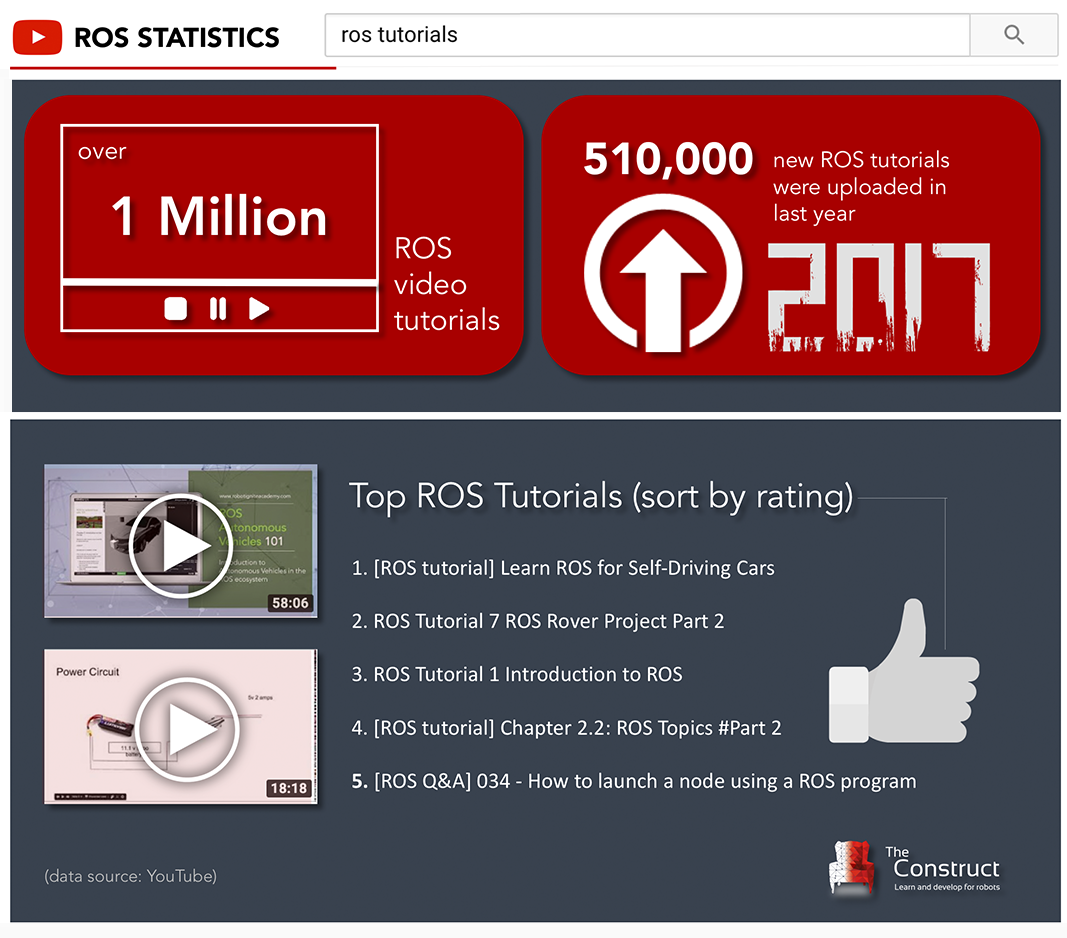
Video tutorial learning is one of the ways to learn ROS effectively (more ROS learning methods). It provides an unique presentation which show how programs are created and ran, in a practical way. It allows you to learn how to carry a ROS project from the professional or instructor, which alleviate a beginner’s fear to start learning ROS to a certain degree.
You can find over one million tutorials on youtube when you search ros tutorials. Over 500,000 new ROS tutorials were uploaded last year alone.
We have compiled some of the best-ranked ROS tutorials for you:
![[ROS Q&A] 084 – Found the following, but they’re either not files or not exe](https://www.theconstruct.ai/wp-content/uploads/2017/12/ROS-QA-Found-the-following-but-theyre-either-not-files-or-not-exe-screen.png)
In this video we show how to solve the error “Found the following, but they’re either not files or not executable” that happens sometimes when you call “rosrun” to run a ROS Node. This error was reported in the following question:
https://answers.ros.org/question/258154/visualize_velocity_profilepy-not-working-in-teb_local_planner/
Q: When the user tries to run his file called visualize_velocity_profile.py this error happens.
A: This happened because the file doesn’t have execute permissions. To give “execute permissions” in this case the user could just run “chmod +x visualize_velocity_profile.py“.solve it.
![[ROS Q&A] 083 – Have a 3-finger gripper simulated in Gazebo](https://www.theconstruct.ai/wp-content/uploads/2017/12/Have-a-3-finger-gripper-simulated-in-Gazebo-screen.png)
Q: 3 finger gripper model for moveit/gazebo?
Original Question: https://answers.ros.org/question/277795/3-finger-gripper-model-for-moveitgazebo/
A: In the following video I show how you can easily have a 3 finger gripper simulated in Gazebo.
![[ROS Q&A] 082 – Add AR tag in gazebo #Part2](https://www.theconstruct.ai/wp-content/uploads/2017/12/add-AR-tag-in-gazebo-part2-screen.png)
This is the second part of this Ar tracking series where you will learn how to do AR tracking with only an RGB camera. This is the previous video of this series: https://youtu.be/WDhIaVOUwsk. The question related to is : https://answers.ros.org/question/240392/add-ar-tag-in-gazebo/
Q: Ar track with only RGB camera
A: Launch the ar tracking no kinect package script with the camera topic of your robot and the error values of around 20 %.
![[ROS Q&A] 081 – Making Aibo robot walk with ROS – #Part 1](https://www.theconstruct.ai/wp-content/uploads/2017/12/Making-Aibo-robot-walk-with-ROS-Part-1-screen.png)
In this series of videos we are going to show how to use the Aibo robot with ROS. How to program the robot using a Gazebo simulation of Aibo and how to transfer to the real robot. Both, simulation and real robot will be controlled using ROS.
In this first video, we are showing the simulation we are using, and how to send commands to the joints to make Aibo adopt a pose.